
Can a Kitchenaid Mixer Overheat? Causes, Signs, and How to Fix It
Yes — your KitchenAid mixer can overheat if you push it too hard or its vents and parts are neglected. You’ll notice a burning smell, an unusually hot housing, slower performance, strange noises, or sudden shutdowns. Stop and unplug it, let it cool, clear vents, and avoid overloaded bowls or prolonged high-speed use. You can inspect brushes, belts, and bearings or call support for electrical issues. Keep going below to learn practical fixes and when to get professional help.
Can a KitchenAid Mixer Overheat? Quick Answer
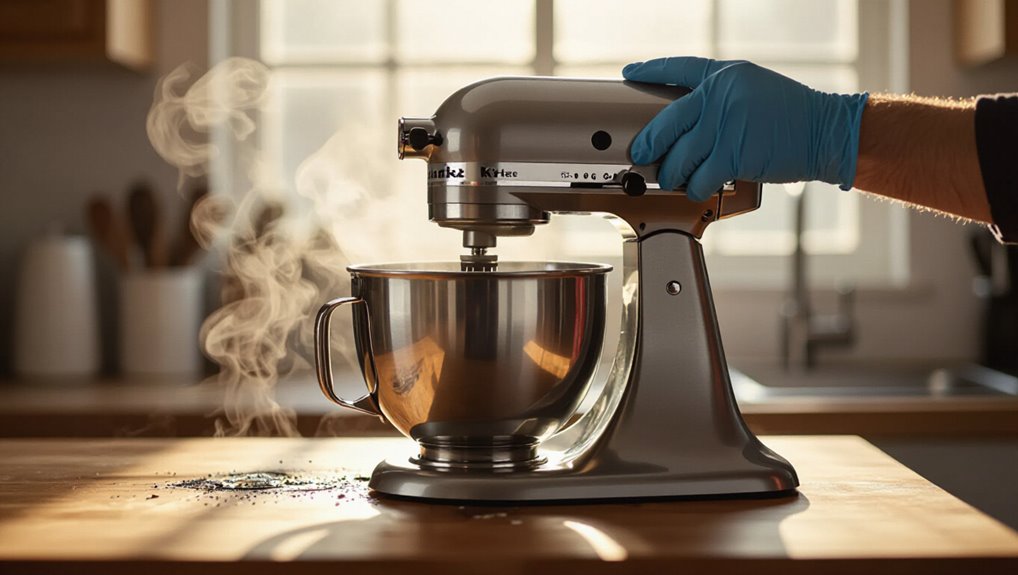
Can a KitchenAid mixer overheat? Quick answer: yes — it can, though it’s uncommon if you use it properly.
You’ll overwork the motor by running heavy dough too long, blocking ventilation, or operating at high speed for extended periods.
Let it rest between long jobs, avoid continuous max-speed mixing with heavy loads, and follow maintenance to reduce risk.
Signs Your KitchenAid Mixer Is Overheating
When your KitchenAid mixer starts overheating, you’ll usually notice clear, telltale signs: a burning smell from the motor, unusually hot housing, slower-than-normal mixing, or the mixer shutting off unexpectedly.
You may also hear grinding, notice excessive vibration, or see smoke or scorch marks. These warning signs mean the motor or wiring is under stress and needs attention to prevent damage.
Immediate Steps to Take When Your Mixer Runs Hot
Noticing those overheating signs means you should act right away to prevent damage or fire.
Stop and unplug the mixer, remove attachments, and let it cool fully before touching.
Check vents for obvious blockages and make sure the bowl isn’t too heavy.
If problems persist, contact support.
- Power down and cool
- Inspect vents and load
- Seek professional help if needed
Top Causes of KitchenAid Mixer Overheating

If your KitchenAid mixer starts running hot, you’ll usually find the cause in one of a few predictable areas: overloaded bowls from dense or excessive ingredients, prolonged high-speed use, blocked ventilation leading to trapped heat, deteriorating internal components like bearings or windings, or electrical issues such as voltage spikes or faulty wiring.
Addressing these prevents recurring overheating and potential motor damage.
DIY Checks and Parts to Inspect (Brushes, Vents, Belts, Motor)
You can start by checking the carbon brushes and commutator for heavy wear or scoring, since worn brushes cause poor contact and extra heat.
Also inspect cooling vents for dust buildup and the drive belt for glazing or slack that makes the motor work harder.
If any of those show damage or clogging, you’ll want to clean or replace parts before running the mixer again.
Brushes And Commutator Wear
Because the motor’s brushes and commutator take the brunt of electrical contact, checking them is one of the fastest ways to diagnose overheating, and you can do most of the inspection with basic tools.
Inspect for wear, pitting, and carbon buildup. Follow these steps:
- Remove housing and visually inspect brushes.
- Measure brush length; replace if short.
- Check commutator for grooves or burns; lightly clean.
Cooling Vents And Belts
When vents get clogged and belts slip or fray, your mixer can overheat even if the brushes and commutator look fine, so check airflow paths and belt condition as part of routine troubleshooting. Clean vents with compressed air, inspect belts for cracks, and replace worn belts. Test after reassembly; overheating signs should lessen.
| Check | Action |
|---|---|
| Vents | Clean |
| Belts | Inspect |
| Noise | Diagnose |
| Test | Run |
Repair vs. Replace: Costs, When to Call a Pro, and Safety Limits
If your KitchenAid starts overheating, you’ll need to weigh repair costs against replacement and know when to call a pro to avoid safety risks.
Inspect simple fixes first; if motor or electronics fail, replacement often makes sense.
Consider:
- Cost of parts/labor vs. new unit price.
- Technician diagnosis for electrical or smoke issues.
- Safety cutoff—stop using if smells or sparks.
Frequently Asked Questions
Can Using Metal Attachments Void My Mixer’s Warranty?
Yes, using metal attachments can void your warranty if they cause damage or aren’t approved; check your mixer’s warranty terms and use manufacturer-approved accessories to avoid denial, but incidental use alone usually won’t automatically void it.
Can I Run My Mixer Continuously for Hours for Commercial Use?
You shouldn’t run a household KitchenAid mixer continuously for hours; it’s not designed for commercial duty. You’ll overheat motors, void warranties, and risk failure—use a commercial-grade mixer or give frequent cool-down breaks.
Is It Safe to Wash the Motor Housing With Water?
No, you shouldn’t wash the motor housing with water. You’ll void warranties and risk damage or shock. Instead, unplug the mixer, wipe the housing with a damp cloth, then dry it thoroughly before plugging back in.
Do Aftermarket Attachments Increase Overheating Risk?
Yes, aftermarket attachments can increase overheating risk if they draw extra load or fit poorly; you should use properly rated, well-fitting accessories, avoid heavy doughs, and monitor motor temperature to prevent strain and overheating.
Can Firmware/Software Updates Prevent Motor Overheating?
Yes — firmware updates can help prevent motor overheating by improving motor control, thermal monitoring, and protection algorithms. You’ll get smarter speed regulation, better stall detection, and automatic shutdowns to reduce overheating risk.
Conclusion
Yes — your KitchenAid can overheat. If it feels hot, smells like burning, stalls, or cuts out, unplug it and let it cool. Check vents, motor brushes, belts, and attachments; clean or replace worn parts. Don’t keep running a hot mixer or bypass thermal protection. For persistent issues or internal repairs, call a qualified appliance technician. Weigh repair costs against replacement if motor work or extensive parts are needed for safety and long‑term use.


